
Wrinkle Removal Photo Editing Ultimate Guide to Flawless, Natural-Looking Retouching
fixanyphoto
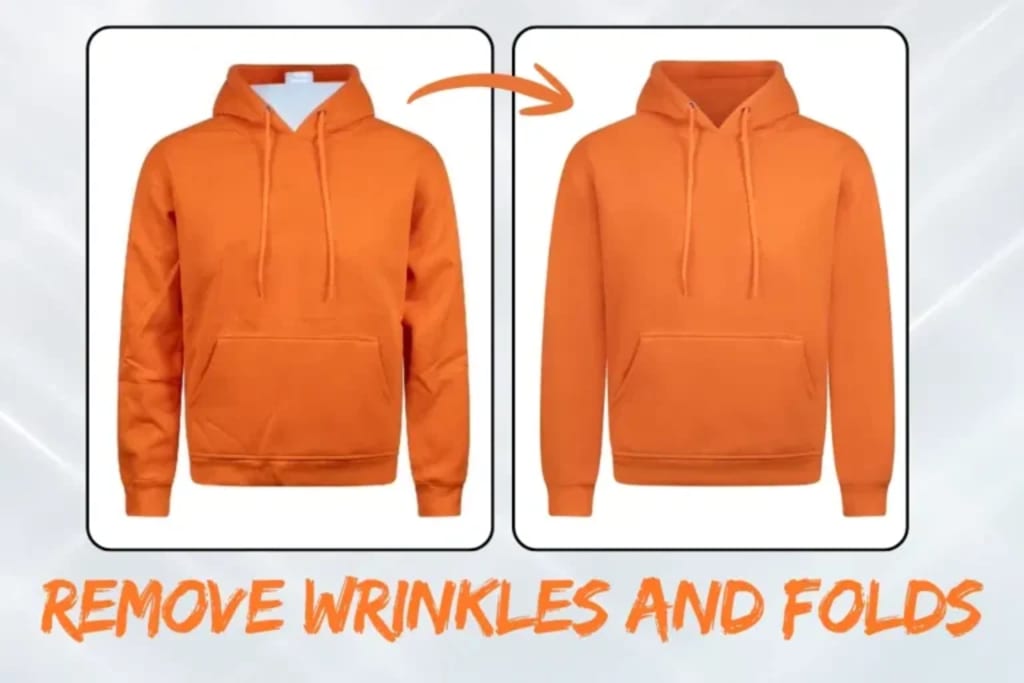
In today’s digital world, wrinkle removal photo editing has become an essential technique for photographers, designers, influencers, and brands seeking polished yet natural imagery. Whether for professional portraits, fashion photography, corporate headshots, or social media content, subtle skin retouching enhances appearance without sacrificing authenticity.
This comprehensive guide explores professional techniques, tools, workflows, and best practices to achieve seamless results while maintaining realistic skin texture.
What Is Wrinkle Removal Photo Editing?
Wrinkle removal photo editing is a retouching process that softens or eliminates visible fine lines, creases, and age-related skin details from digital images. Unlike heavy airbrushing, professional retouching preserves natural skin texture and lighting while reducing distracting imperfections.
The goal is enhancement—not artificial perfection.
This process is commonly used in:
- Portrait photography
- Wedding albums
- Fashion campaigns
- Beauty editorials
- Corporate headshots
- E-commerce model imagery
Why Professional Wrinkle Removal Matters
When performed correctly, wrinkle removal photo editing delivers:
- A more youthful yet natural appearance
- Balanced skin tones
- Smoother under-eye areas
- Reduced forehead and smile lines
- Improved overall portrait quality
However, excessive smoothing can make skin look plastic or unrealistic. The key lies in subtle adjustments that respect facial structure and natural features.
Top Techniques Used in Wrinkle Removal Photo Editing
Professional retouchers rely on advanced methods rather than simple blur tools. Here are the most effective techniques:
1. Frequency Separation
Frequency separation splits an image into two layers:
- Texture layer
- Color/tone layer
This allows editors to smooth skin tone without destroying natural pores and texture. It is one of the most professional methods in wrinkle removal photo editing.
2. Healing Brush & Clone Stamp
These tools help remove deep wrinkles or specific creases by sampling nearby skin. Precision is essential to maintain consistent lighting and shading.
3. Dodge and Burn Technique
Instead of removing wrinkles entirely, dodge and burn lightens shadows and balances highlights. This reduces the depth of lines while preserving realism.
4. Skin Texture Preservation
Maintaining natural skin texture ensures the image looks authentic. High-end wrinkle removal photo editing focuses on blending rather than erasing.
Best Software for Wrinkle Removal
Professional editors typically use:
- Adobe Photoshop
- Lightroom
- Capture One
- Affinity Photo
Photoshop remains the industry standard due to its advanced layering capabilities and precision tools.
- Step-by-Step Workflow for Natural Results
- Here is a simplified professional workflow:
- Duplicate the original image layer.
- Apply frequency separation.
- Use healing tools to reduce deep wrinkles.
- Apply dodge and burn for subtle blending.
- Adjust skin tones and color balance.
- Zoom out frequently to maintain natural proportions.
This structured approach ensures wrinkle removal photo editing enhances rather than over-edits the image.
Common Areas Treated in Wrinkle Removal
Professional retouching typically focuses on:
- Forehead lines
- Crow’s feet
- Smile lines (nasolabial folds)
- Under-eye creases
- Neck wrinkles
Each area requires different intensity adjustments depending on lighting and skin type.
Maintaining Realism in Portrait Retouching
The biggest mistake in wrinkle removal photo editing is over-smoothing. Authentic portraits preserve:
- Skin pores
- Natural shadows
- Facial structure
- Expression lines
Removing every line can flatten the face and remove character. Modern retouching trends favor subtle enhancement rather than complete transformation.
Wrinkle Removal for Different Photography Styles
Corporate Headshots
Light retouching to maintain professionalism without altering identity.
Wedding Photography
Softening under-eye lines and stress marks for timeless portraits.
Fashion & Beauty
More refined skin correction while preserving editorial realism.
Social Media Content
Quick retouching for clean, high-resolution images suitable for digital platforms.
Each use case requires a customized approach to wrinkle removal photo editing.
Benefits for Photographers & Businesses
Investing in professional retouching offers measurable advantages:
- Higher client satisfaction
- Improved brand image
- Increased social engagement
- More polished marketing visuals
- Competitive edge in commercial photography
High-quality imagery directly influences perception and credibility.
Outsourcing vs. DIY Editing
Many photographers choose to outsource wrinkle removal photo editing to professional retouching services. This allows them to:
- Save time
- Maintain consistent quality
- Focus on shooting
- Handle bulk image editing efficiently
However, mastering basic retouching skills provides creative control for smaller projects.
Final Thoughts
Wrinkle removal photo editing is both an art and a technical skill. When executed with precision, it enhances portraits while preserving personality and authenticity. The key lies in subtlety, texture preservation, and balanced lighting adjustments.
Whether you are a professional photographer, content creator, or business owner, understanding the fundamentals of wrinkle removal photo editing empowers you to produce flawless, natural-looking images that stand out in a competitive visual landscape.
About the Creator
andy
I am a passionate guest blogger who enjoys exploring and writing about a variety of topics. I aim to provide insightful and engaging content that resonates with readers.
Author’s Advice
If you would’ve asked me 20 years ago did I know I’d become a writer and an author, I would’ve said “nope, ain’t happening”. As fate would have it I did become an author and I can honestly say I’m loving it so far. It really does feel good to be a writer. I’ve learned a lot on this journey and I feel like with even me being as new to this world as I am, there’s some wisdom I need to share with every other aspiring author.
By Joe Patterson3 days ago in Journal
Why Didn't Anyone Tell Us
Men, move along. This is not for you. This is for the women. I was forty-five when I began menopause. It is pretty young for that to be going on in a woman’s life, but I had undiagnosed PCOS, my entire life. Thank you to all the gynecologists I had seen my entire life. That in itself should encourage women to keep seeking second opinions, especially when you are not getting correct answers or any at all.
By Alexandra Grant4 days ago in Humans




Comments
There are no comments for this story
Be the first to respond and start the conversation.